Every customer, every detail
Contact info, services, notes, photos and full job history. Call, text or email in one tap, or import your list from a spreadsheet.
Flow CRM by Nexivo
Flow keeps your customers, jobs, quotes, payments and schedule in one app on your phone, with your own online booking page built in. It's built for home-service businesses, and Nexivo builds the AI agents, websites and custom software that plug in around it.
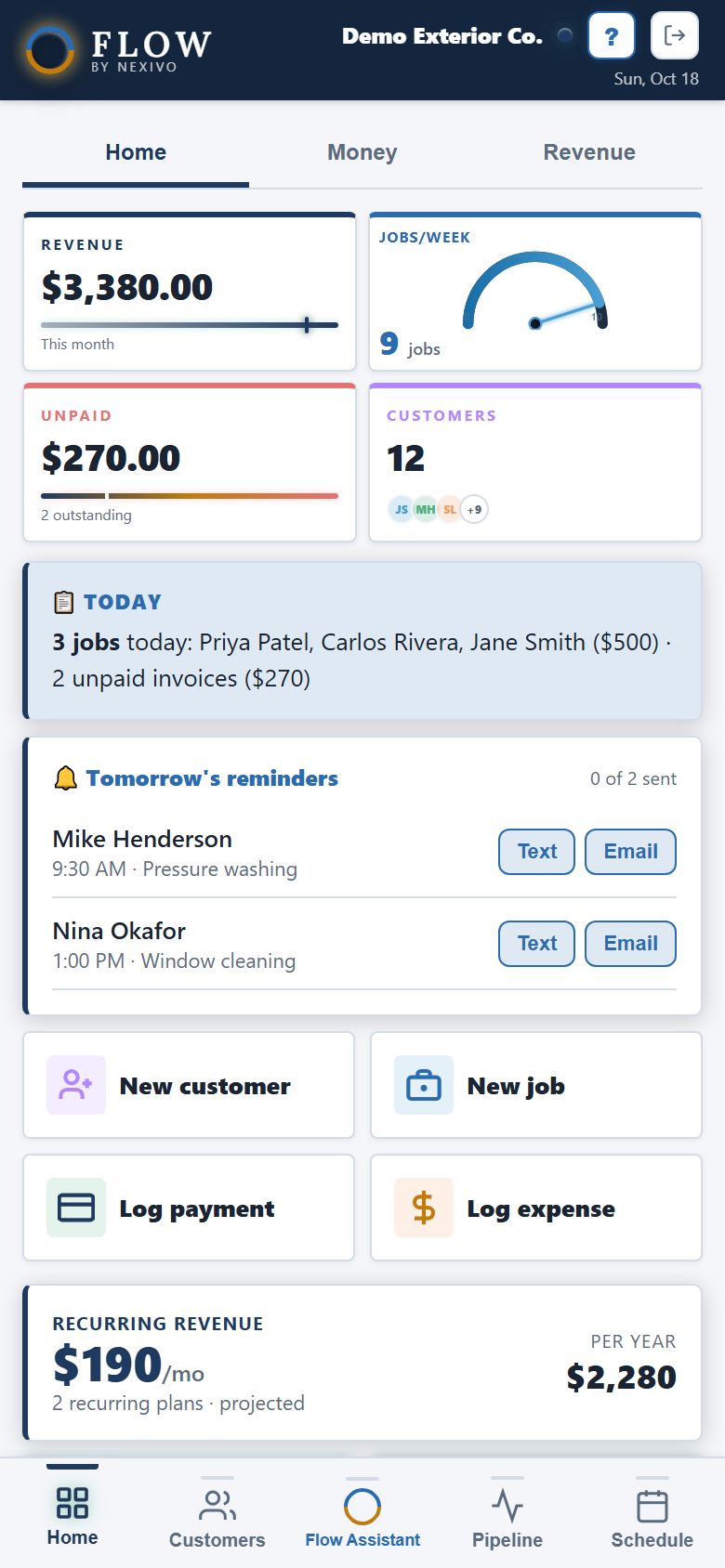
Flow Tour
Every screen below is Flow running with a sample business. Read the summary, then tap How it works to see each feature step by step.
Use the arrow keys or swipe to move through the tour.
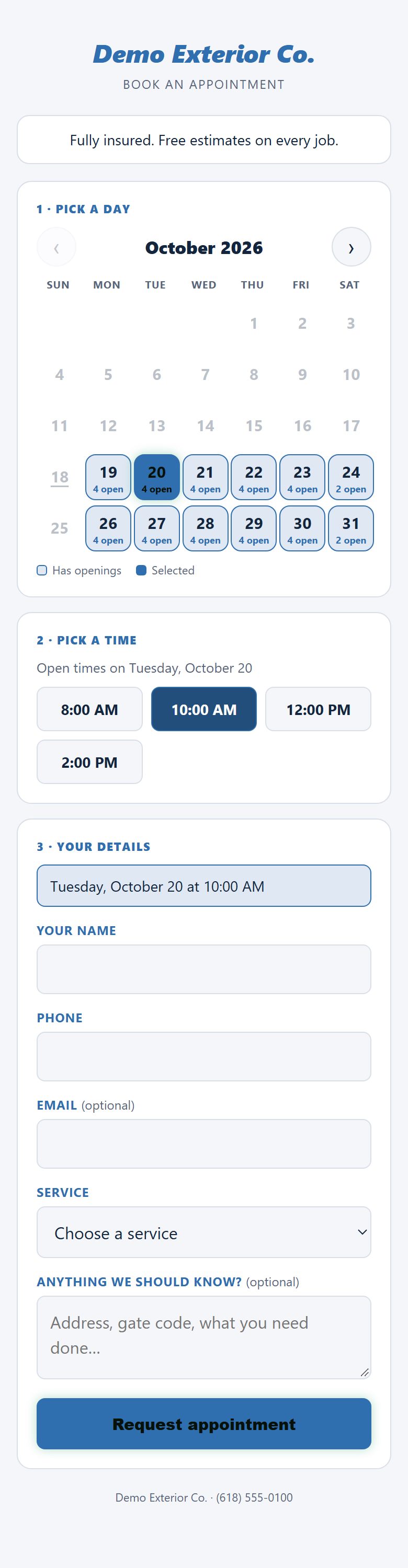
Built-in booking page
Every Flow account includes its own online booking page. Share the link and customers pick from the times you're actually free. You won't need a separate booking app or have to go back and forth by text.
Accessibility
Your crew reads Flow in bright sun, in a dark truck at 6am, on small phones and with tired eyes. Every login gets its own settings, so each person can set it up the way they read best.
Normal, Large or Larger. Buttons, labels and numbers all grow together, with a live preview before you save.
Put the cards you use most at the top and hide the rest, with a live preview as you go. Swap the bottom menu buttons too.
Sliders spread text out, which can make reading easier for people with dyslexia or low vision.
Light mode for outdoors, dark mode for early mornings, and one switch to turn off animations and moving backgrounds.
Speak to Flow Assistant to add jobs or ask questions. When you ask out loud, it answers out loud.
Accidental double-taps on Save or Send are ignored, deletes ask first in plain words, and help is one tap away on every screen.
Everything in Flow
Open Flow in the morning and you see today's jobs, who still owes you, and who's due for service. Everything else is a tap away.
Contact info, services, notes, photos and full job history. Call, text or email in one tap, or import your list from a spreadsheet.
Book one-time or repeating jobs (monthly, quarterly, yearly), assign them to your crew, and get reminders to text customers the day before.
Send a branded quote by text or email. Your customer opens it, downloads the PDF, and taps Accept. Flow updates itself.
Log cash, check, Venmo, Zelle or card. Send invoices, mark them paid, and export everything for your accountant.
Customers pick an open day and time from your real availability. You confirm the request and it becomes a job.
Share a referral link, ask for reviews after each job, and email your customer list when it's time to fill the schedule.
See revenue by week, month or year, track expenses with receipt photos, and know what's left after ads, partners and payroll.
Give employees their own login with the right access, message them in the app, and track mileage for every job.
Flow Assistant
Tap the middle button and talk. The assistant adds jobs, customers, payments and expenses, and answers questions about your schedule and your money.
Who Flow is for
When you sign up, pick your kinds of work and Flow fills in the right services for you.
More from Nexivo
Flow runs the day-to-day. When you need something more, we build it for you.
AI helpers that handle the repetitive work: answering common questions, following up with leads, sorting requests and keeping records up to date.
Fast, professional websites for local businesses that work on phones, show up on Google, and turn visitors into calls and quote requests.
Pick-list software that tells your team what to grab, from which bin, in what order, so orders go out faster with fewer mistakes.
Have a process no off-the-shelf app fits? Tell us how your business runs and we'll build the tool to match, from small add-ons to full systems.
Flow pricing
$20 a month covers up to 4 people. Each extra person is $5 a month. Try everything free for 14 days.
Contact
Questions about Flow, or a project you want built? Send a few details and we'll get back to you.
Email
hello@nexivo.com
We'll reply within one business day.
Please email us at hello@nexivo.com instead.